Describe your ideal client, get a ranked lead list: meet the Assistant
Tell LocalLeads who you sell to in plain words. The Assistant turns it into a Google Maps search, the audit checks every business, and the list ranks itself by what you sell.
- Written by
- Mradul, Engineering & Product, EtherLabz
- Length
- 6 min read
- Filed under
- Product
Google Maps search wants two things from you: the category a business is listed under, and a place. That is not how anyone thinks about their next client. You think “dentists in Leeds whose websites look like 2012”, type it into Maps, and get nothing back, because no dentist lists themselves under that.
The Assistant in LocalLeads takes the sentence instead. You describe who you want to sell to in your own words, and it hands back a search you can check and run.
Describe the client, get a search
Open Assistant in the sidebar and write the way you would to a colleague. It turns your sentence into a Google Maps category, a town and a country, and shows the result as a card. Nothing runs until you press Run this search, and the card tells you the most it can cost before you do.
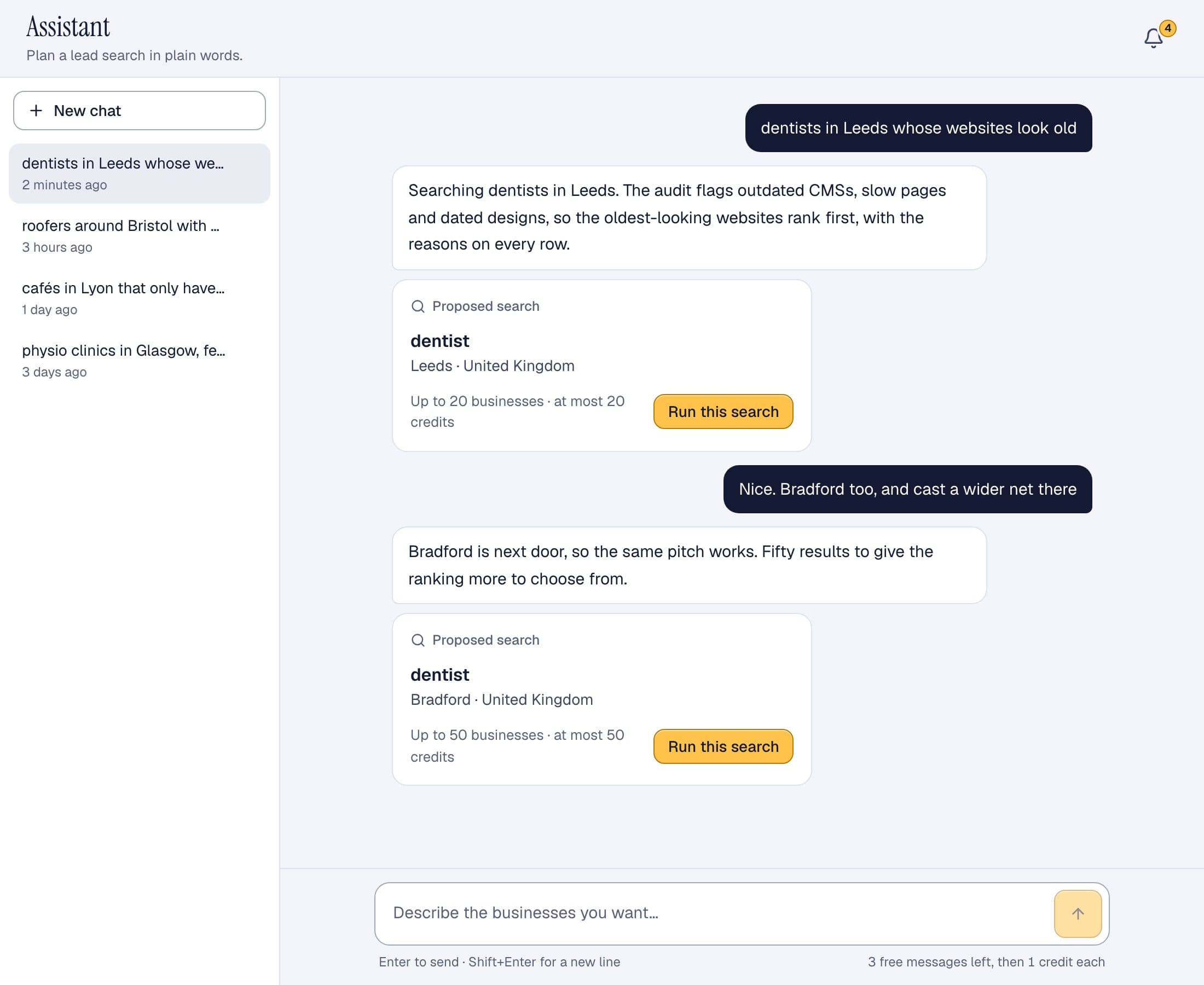
It knows the things people usually get wrong when they search Maps by hand:
- “Teeth doctor” is dentist and “the guys who fix roofs” is roofing contractor. It searches the category a business picks for itself.
- “With old websites” is not part of the search. Maps cannot filter on it, so the Assistant leaves it to the audit, which checks every result for exactly that and ranks the worst sites first.
- A region like Yorkshire or Île-de-France is too big for one search, and a single street is too small. It starts with the main city and offers the next towns.
- Manchester, England and Manchester, New Hampshire are different places. It sets the country so you don't pay for the wrong one.
If something is missing, it asks one short question. Tell it “I want to sell SEO to someone” and it asks which kind of business, and where, then suggests a few that tend to buy SEO.
What happens when you press Run
The search pulls every matching business from Google Maps, usually in one to three minutes. You can leave the page while it runs; it carries on and appears in History. Then every business gets the same checks:
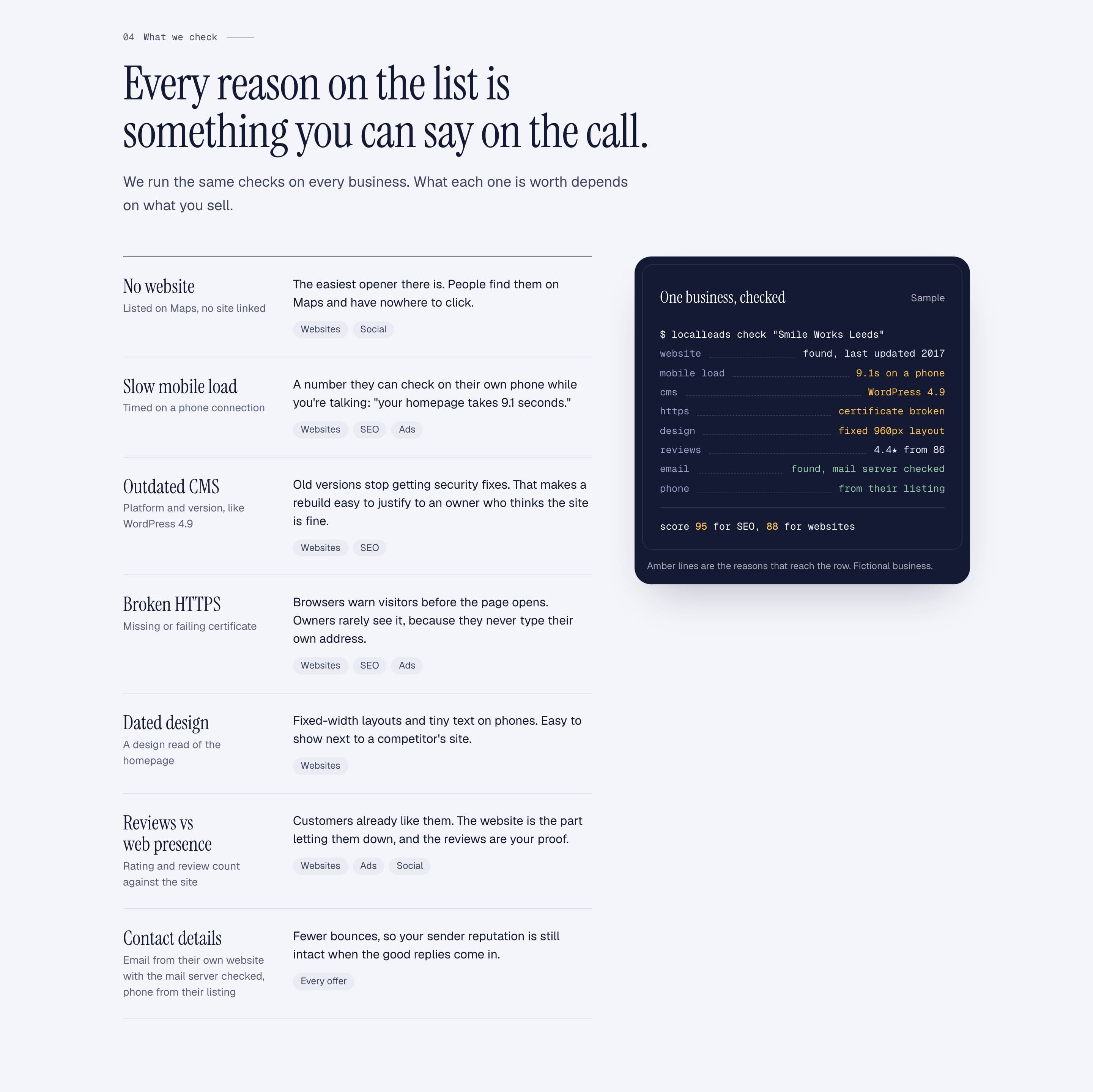
No website, a slow site on a phone, an outdated CMS, no working HTTPS, a dated design, and reviews weighed against how weak the web presence is. Emails come from the business's own website with the mail server checked, and phone numbers from the Maps listing.
Ranked by what you sell
The checks are the same for everyone. How much each one counts depends on what you sell. A dentist with no website is the best lead a web designer will see all week, and a dead end for an SEO agency. You choose your offer once, at sign-up, and the list ranks itself accordingly, with the reasons written on every row.
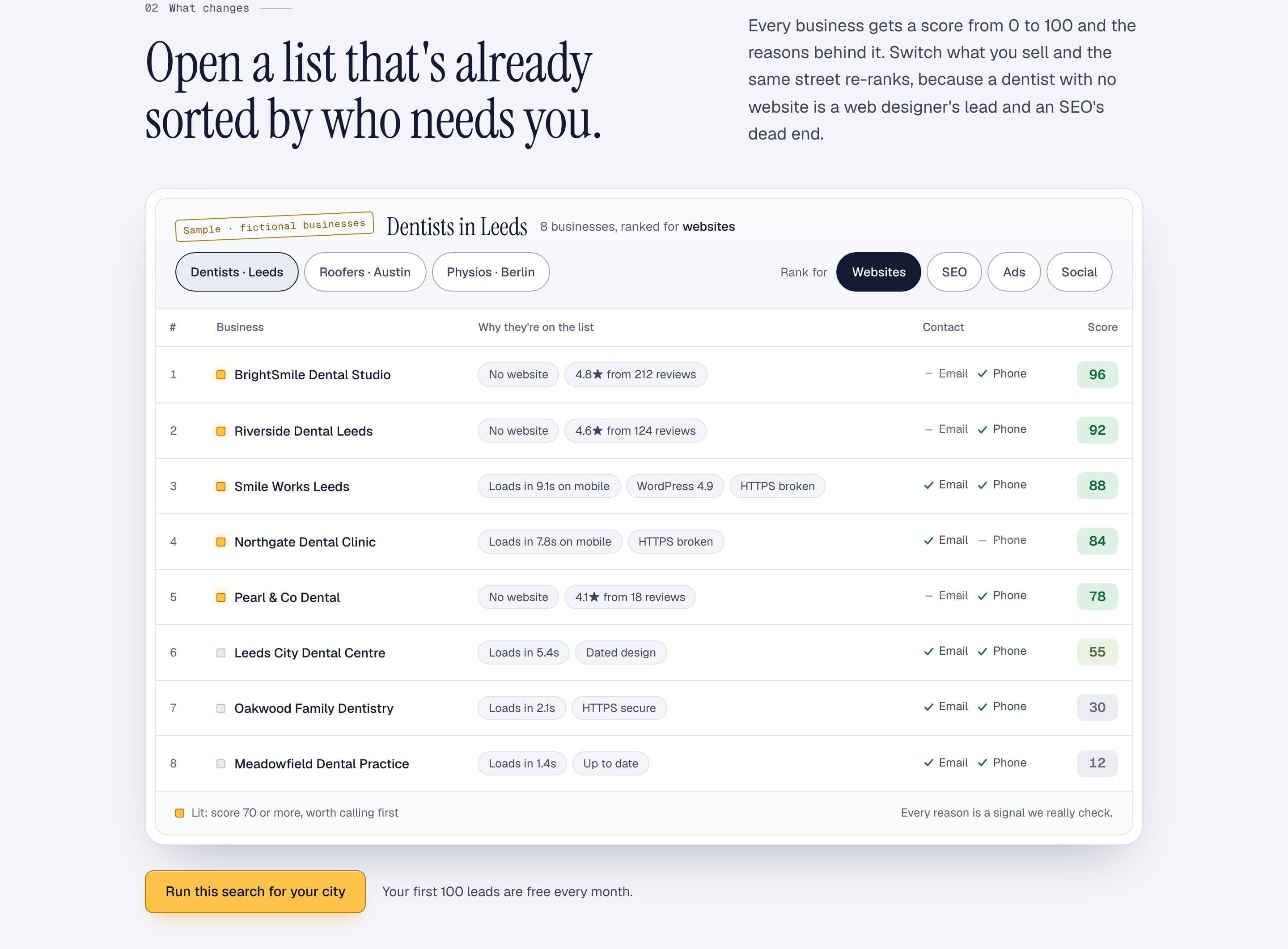
From the results page you can export to CSV, Excel or Google Sheets, or save the search as an alert and get an email every Monday listing the businesses that are new to it.
When a search finds nothing
Sometimes a search comes back empty: a category nobody uses, a village too small for the trade, a place in the wrong country. An empty search costs nothing, and the results page now tells you why it was empty and offers searches that will find businesses, each one a click away from a prefilled form. Or press Ask the assistant and talk it through.
On your phone too
The Assistant works the same on a phone, with your chats a tap away. It's a decent way to queue up tomorrow's searches from the train.
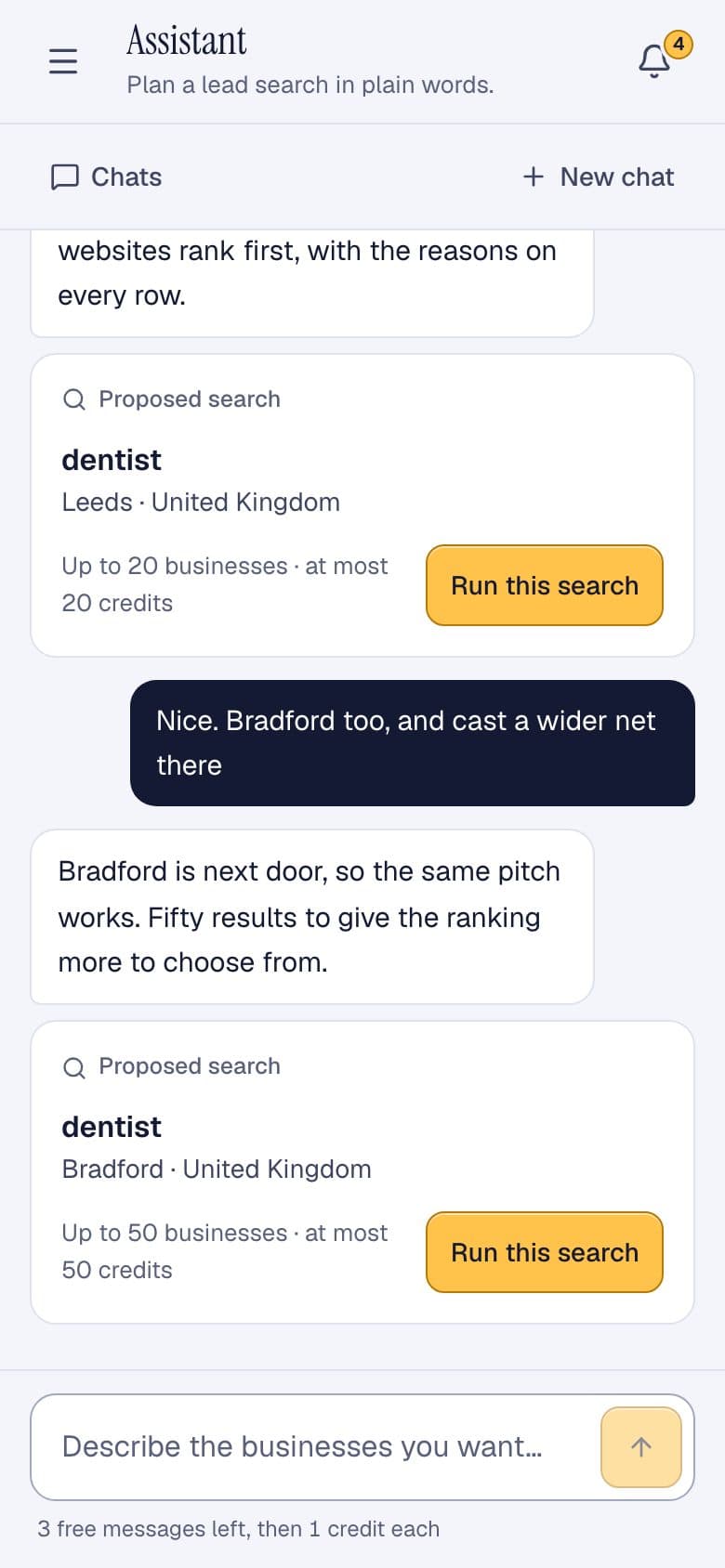
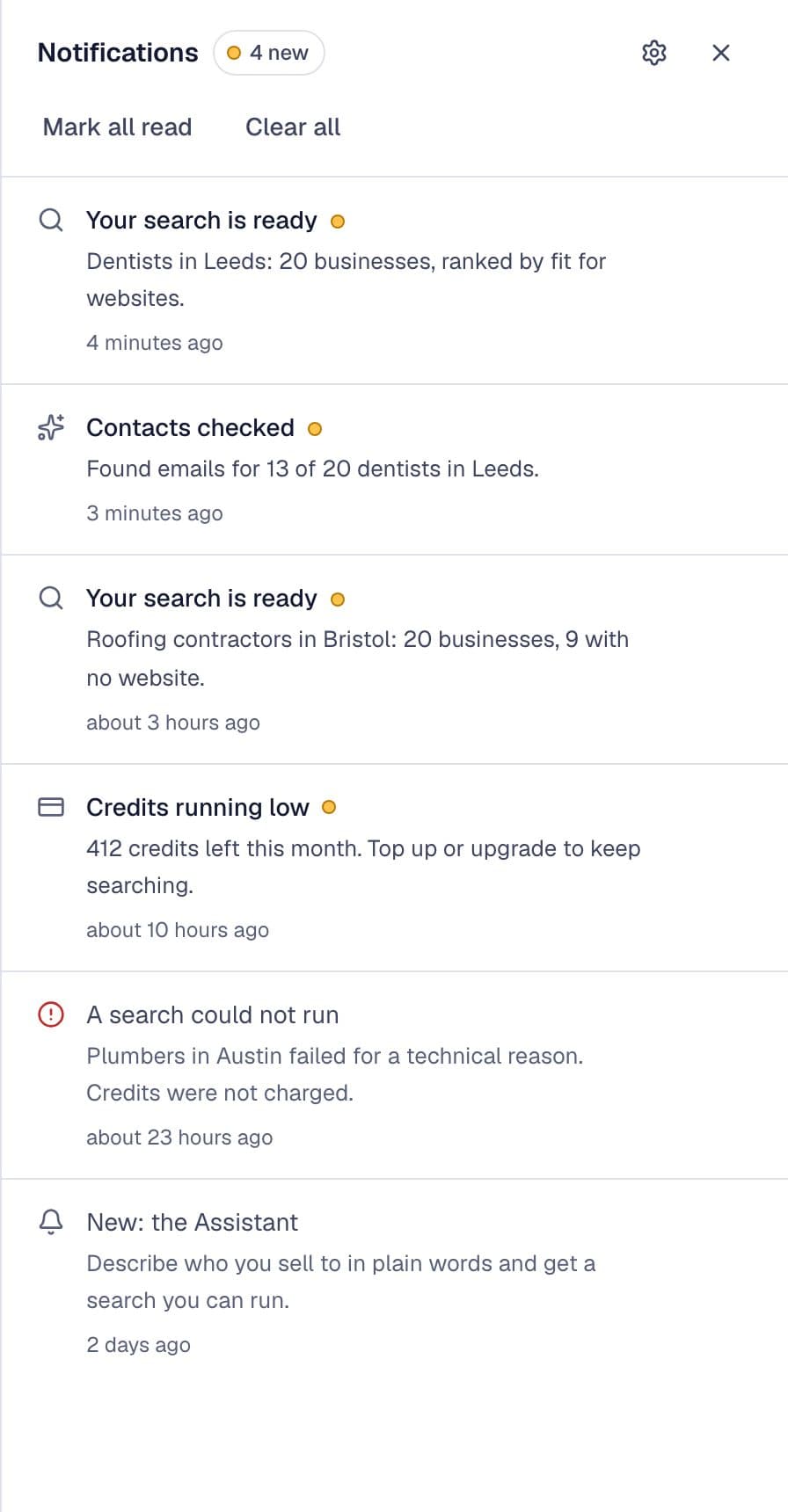
When a search finishes, the bell in the corner says so, along with how many contacts were found. You don't have to keep the tab open.
What it costs
Your first five Assistant messages are free. After that, each message costs one credit, and the line under the message box shows how many free messages you have left before that kicks in. Searches cost what they always have: one credit per business delivered, contacts and checks included, and nothing when a search finds nothing.
Every account gets 100 free leads a month with no card. Pro is €4.99 a month for 500 credits, and Business is €19.99 for 2,500. Credit packs work without a subscription. The full breakdown is on the pricing page.
Try it on your own market
Tell the Assistant who you sell to and where. Your first five messages are free, and so are 100 leads every month.
Create a free account or open the Assistant if you already have one. Questions, ideas or bugs go to the LocalLeads Discord, where the team answers.
Frequently asked questions
Does the Assistant run searches on its own?
No. It proposes a search as a card showing the category, the place and the most it can cost, and nothing runs until you press Run this search. Talking to it never spends search credits.
What does the Assistant cost?
Your first five messages are free. After that each message costs one credit, the same credit that buys one delivered lead. Searches are priced as they always were: one credit per business delivered, and nothing when a search finds nothing.
Are my chats saved?
Yes. Every conversation is kept in the Assistant's sidebar, so you can come back to a chat, run a search it proposed last week, or delete it. Each chat has its own link, so a reload brings you straight back to it.
Can I still search the normal way?
Yes. Find leads still takes a niche and a city. The Assistant is for when you know who you want to sell to but not the exact Google Maps category, or you want help choosing the next town.
Does it work in French?
Yes. Write in French and it answers in French, and the searches it proposes use the categories French businesses are listed under.
End of entry
Your turn
See which businesses in your city need what you sell.
Pick what you sell, a niche and a city. The businesses come back ranked, with the reasons on each row.
100 free leads every month. No card. You create a free account, then your search runs.